
Top 5 Must Have Mac Apps for 2019

There are a lot of Mac apps out there, but which are the best ones and what to use? I am going to tell you the must use Mac apps for 2019. These apps that I am going to show you now are the ones that almost every Mac user is using them. Some are free, and some cost a few dollars.
1. 1Password – Password Manager
This is a free app with a 30 days free trial, but then you will have to pay monthly for the app as you have to subscribe to it. It costs $3.99 for individuals and $6.99 for a family. With 1Password, it’s easy to see what passwords are duplicated or when the passwords were created. It syncs flawlessly across devices, and it provides a good export feature with multiple format choices. It’s a great place to store Software Keys and other items beyond passwords.
Description of the app
1Password remembers all your passwords for you and keeps them safe and secure behind the one password that only you know.
Put passwords in their place
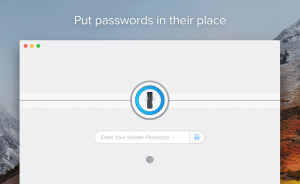
- Create strong, unique passwords for all your online accounts
- Fill usernames, passwords, credit card numbers, and addresses into websites right from your browser
- Access your information on all your mobile devices and computers
- Share passwords securely with your family or team
- Unlock with a touch using touch ID
Get organized
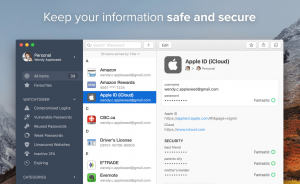
- Store information in more than a dozen categories: logins, credit cards, addresses, notes, bank accounts, driver licenses, passports and more
- Organize your information with tags and favorites
- Quickly look up passwords in your menu bar using 1Password mini
- Use advanced search to find and filter your information
- create multiple vaults to keep different areas of your life separate
- Upload secure documents and view them from anywhere
- Add custom fields to your items to store security questions, extra URLs, and any other information you can think of
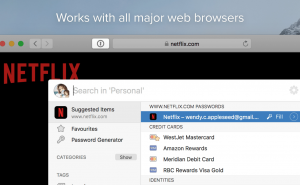
Download the app 1Password
2. Alfred
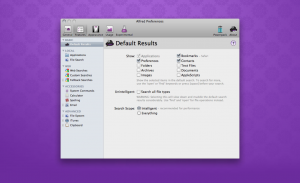
It is a free app that does a lot more than the regular spotlight search that is built-in with the Mac. The description of the app will make more sense. In short, it gets you whatever you need in a faster and powerful way.
Description of the app
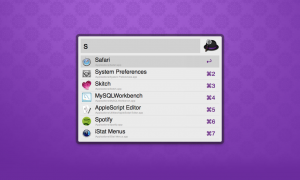
Alfred has the following features
- Application launcher: Launch any application with a quick shortcut. Alfred will learn which apps you use often and prioritize them when you search
- Search your Mac: Quickly find and open files, bookmarks, contacts, music, and more. You will never again have to wonder just where you saved that important document
- Search the web: Search or launch your favorite websites: Maps, Amazon, eBay, Wikipedia, and many more
- Calculate and Spell: Just start typing to do a quick calculation or look up spellings, definitions, synonyms, and antonyms
- System Commands: Control your Mac with speed and efficiency. Empty trash, start the Screen Saver, restart, shut down, eject a drive and more
- Custom Searches: Create your own web searches for frequently used websites and wikis
Download the app Alfred
3. App Cleaner & Uninstaller
This application is free and has a pro version, but you probably wanna stick with the free one because most of the features are there. You can find the differences below.
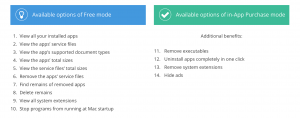
App Cleaner does the following:
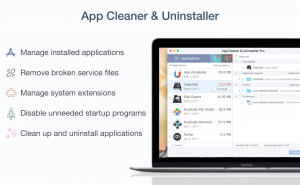
- Remove apps: Completely remove applications without leaving any trace.
- Reset Applications: Delete service files only and launch any application like for the first time.
- Cleanup Remains: Remove leftovers (broken service files) of apps previously moved to Trash.
- Remove Extensions: Change Mac startup items, hide or disable Launch Agents, install files and other core extensions.
Description of the app
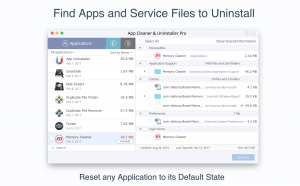
- Get Rid of all Unwanted Apps and their Junk Files: The application cleaner helps you to easily remove software from Mac without giving its service files a chance to remain.
- Reset Mac Applications with App Cleaner: Use App Cleaner to reset your applications to a first-launch state by clearing their service files: Remove service files in just one click, and free up your disk space.
- Clean up Remains – the Leftovers of Already Removed Apps: Check your Mac for traces of previously removed apps which remain on the disk when you drag & drop applications to the Trash. Find and delete all leftovers, remains and broken service files!
- Disable and Uninstall Mac System Extensions: Preview and operate user and core extensions installed on your Mac. You can easily switch their mode or even remove them completely.
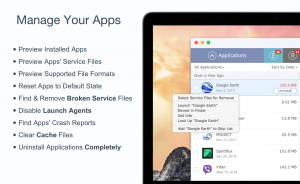
App Cleaner supports more than 1000 applications for removal.
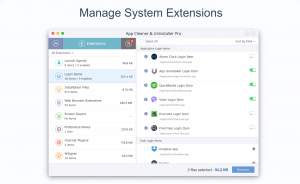
Download the app App Cleaner & Uninstaller
4. Magnet
This is the #1 Productivity and the top paid app in the Apple Store for Mac. This app costs $0.99, and it worths it because it keeps you very productive. The best thing about Magnet that people use it the most for is shifting between Mac and Windows smoothly and quickly. Also, Magnet helps in multitasking very easily. I would definitely recommend you to have this app if you are using a lot of things at once in your Mac.
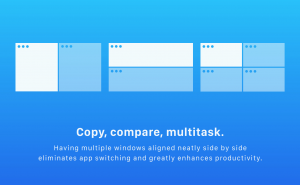
Description of the app
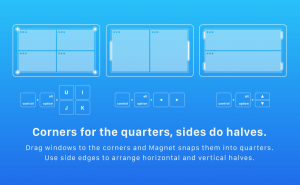
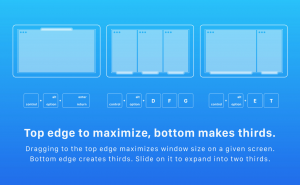
- Magnet keeps your workspace organized: Activated by dragging, customizable keyboard shortcuts or Via Menu Bar, Magnet declutters your screen by snapping windows into organized tiles.
- Every time you move content from one app to the other, compare data side by side or multitask in any other way, you need all the windows arranged accordingly. Magnet makes this process clean and simple.
- Magnet supports keyboard shortcuts as well, for every command it has to offer. There is that little icon sitting in the Menu Bar when you can find a predefined set or create yours.
Download the app Magnet
5. CopyClip
This is a free app, and it is straightforward. What it does is when you copy text, and then you copied another thing before pasting that tex the one that was copied previously, it will store it for you.
Description of the app
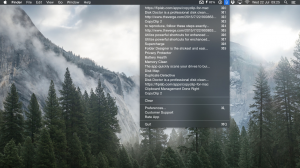
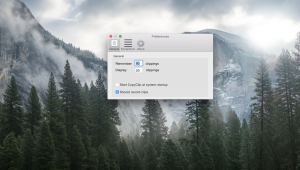
CopyClip is the simplest and most efficient clipboard manager for your Mac. Running discreetly from your menu bar, this app stores all that you have copied or cut in the past, allowing you to quickly find that snippet of text you’ve been looking for.
Download the app CopyClip
Conclusion
Tons and tons of Mac apps really look amazing. I personally feel that I want to give them all a try. However, we all know that the more apps you have, the slower your Mac will run. For that reason, I summarized the most essential Mac apps that YOU MUST have them now for 2019. These apps will indeed help you in the coming future. Many new apps will surely come in 2019, which they might be even in the top list. Therefore, I will always keep you updated with the apps, but to start 2019; you must have these apps NOW. I hope you found this helpful.